
Why Use Currency Exchange at LUCKYTOWN PLUS?
Convenient In-App Currency Conversion


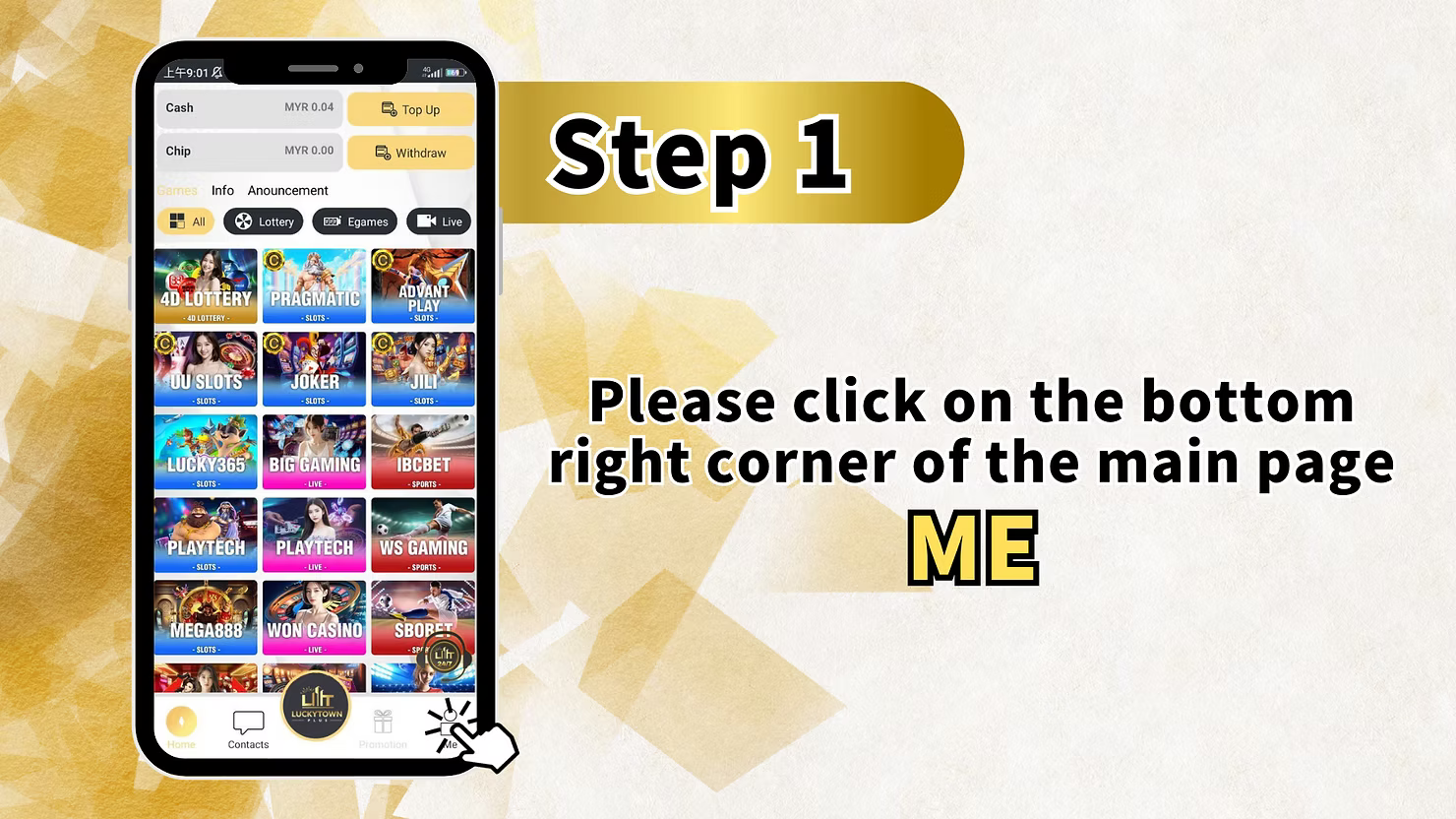
Step 1 - Click "ME" on the Bottom Right Corner of the Main Page
Log in to your LUCKYTOWN account first. On the main page, look at the bottom right corner and click the ME icon. This opens your personal account menu where you can access Cash, Chip, Top Up, Withdraw, Info, Announcement, and other provider shortcuts.
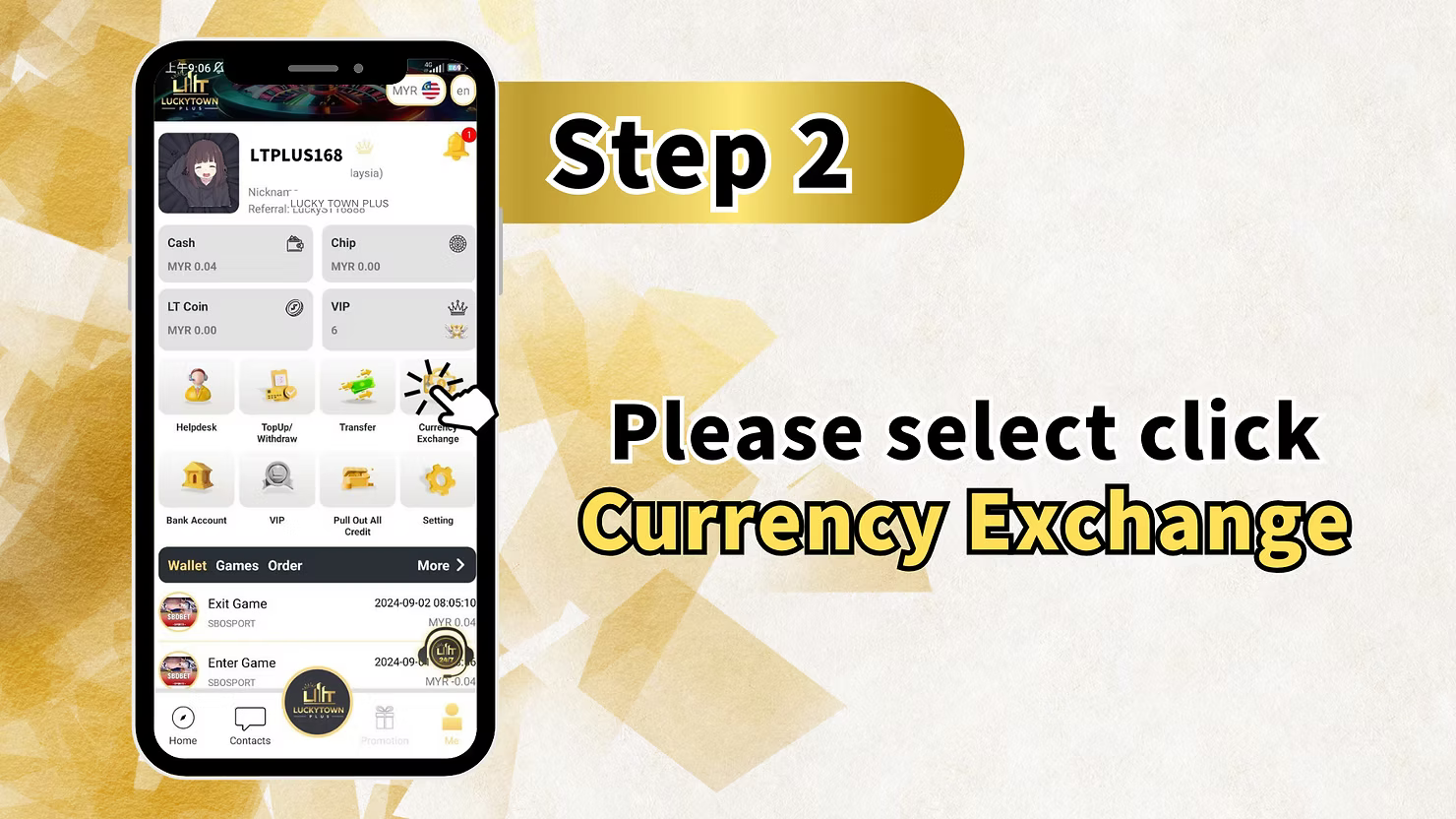
Step 2 - Select "Currency Exchange"
Inside the ME section, find and click Currency Exchange. This will open the currency conversion page where you can exchange between Malaysian Ringgit (MYR) and Thai Baht (THB).
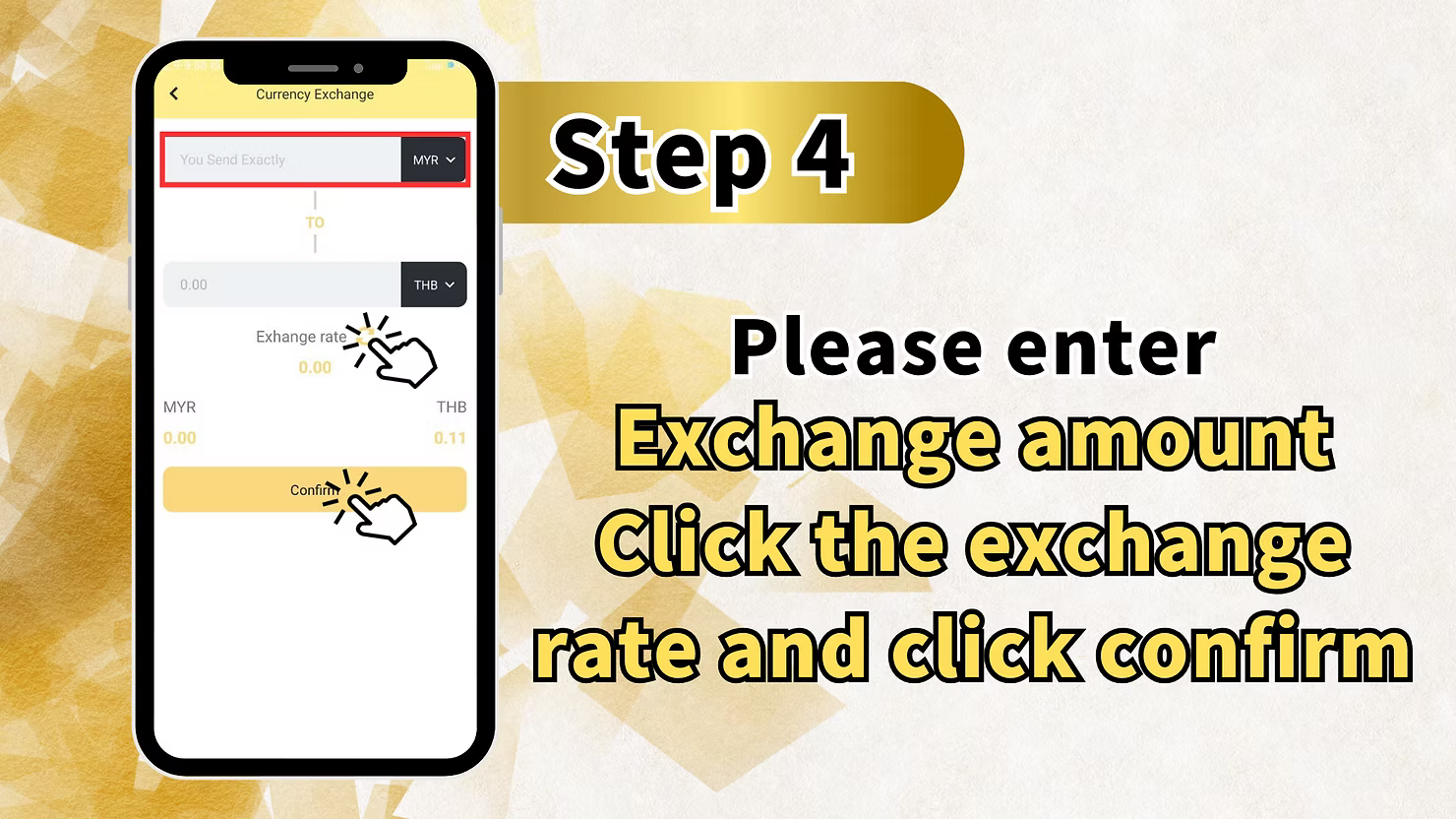
Step 3 - Enter the Amount You Wish to Exchange
On the Currency Exchange page, choose the currency you are sending, such as MYR, under the You Send Exactly field. Enter the amount you want to exchange. The system will automatically calculate the converted value in the destination currency, such as THB, and display the current exchange rate for your review.
Step 4 - Click "Confirm" to Complete the Exchange
After entering the amount and checking the exchange rate, click the Confirm button to complete the exchange. LUCKYTOWN will process the conversion instantly and update your balance in the new currency.
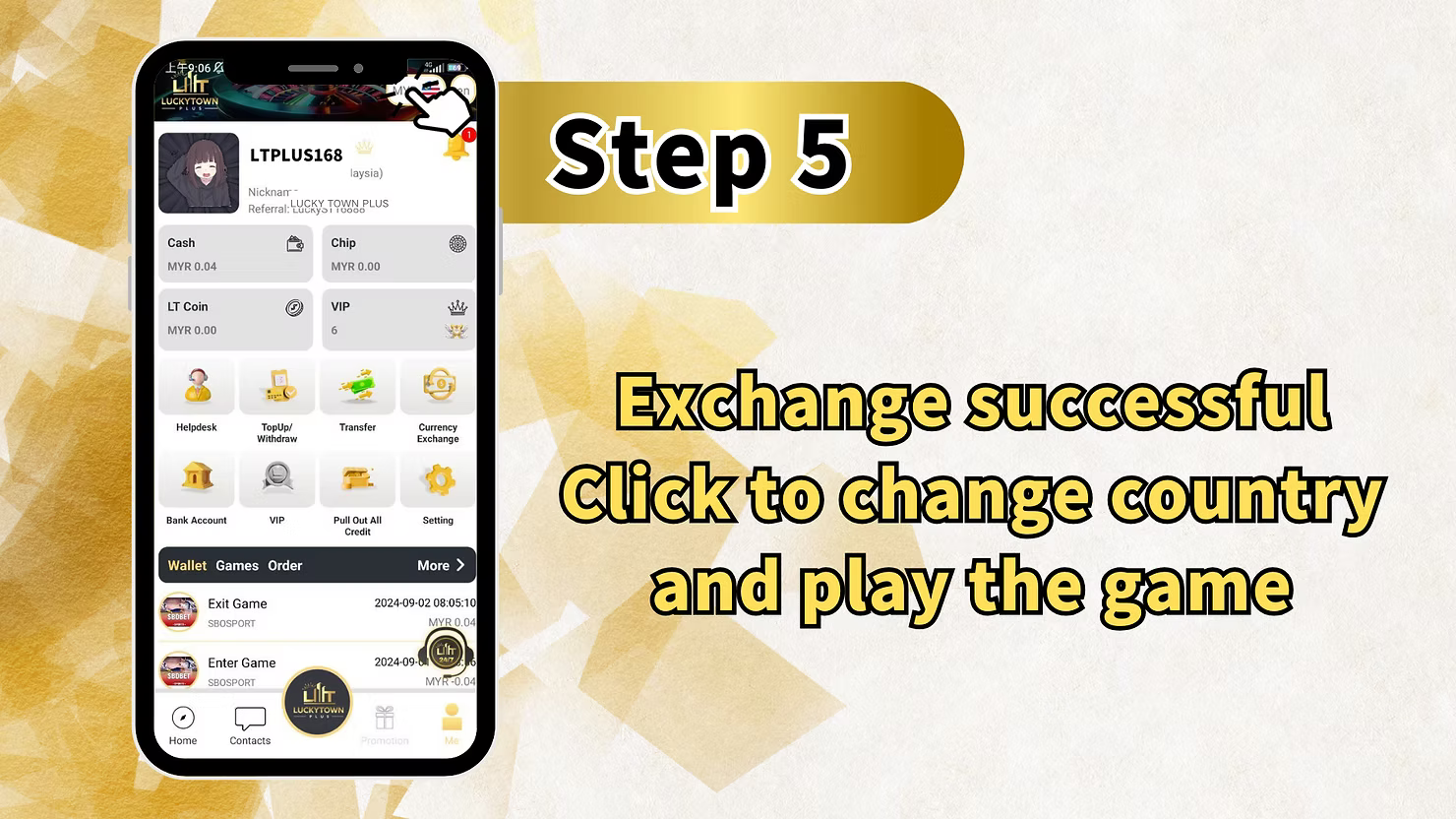
Step 5 - Exchange Successful - Click to Change Country and Play
After a successful exchange, LUCKYTOWN will show an Exchange successful message. You can then click to change country and play the game, allowing you to switch between the Malaysia and Thailand gaming regions using the newly exchanged currency.
LUCKYTOWN Currency Exchange - Important Friendly Reminders
To Convert THB Back to MYR - Go to Thai Version
LUCKYTOWN gives this clear reminder: to convert THB back to MYR, please go to the Thai version. If your balance is in Thai Baht and you want to convert it back to Malaysian Ringgit, you must use the Thai version of the LUCKYTOWN app.
To Convert MYR to THB - Go to Malaysia Version
LUCKYTOWN also reminds players that to convert MYR to THB, they should use the Malaysia version. This means the conversion direction depends on which country version of the app you are currently using.
Exchange Rate is Real-Time
LUCKYTOWN uses real-time exchange rates for MYR to THB conversions. The rate displayed when you make the exchange is the rate that will be applied, and it may change based on market conditions. Always review the rate before confirming.
Why Use LUCKYTOWN Currency Exchange?
Seamless Cross-Border Play
LUCKYTOWN serves players in both Malaysia and Thailand. The built-in currency exchange lets you move between MYR and THB without leaving the app or relying on outside exchange services.
Instant Conversion
Currency exchanges on LUCKYTOWN are processed instantly. Once you confirm the exchange, the converted balance becomes available immediately for gaming.
Convenient In-App Feature
You do not need a separate app or a physical money changer. Currency Exchange is built directly into the LUCKYTOWN app under the ME menu and can be reached in just a few taps.
What Currencies Can I Exchange on LUCKYTOWN?
LUCKYTOWN currently supports exchange between Malaysian Ringgit (MYR) and Thai Baht (THB). These are the two main currencies used by LUCKYTOWN players in Malaysia and Thailand.
How Do I Exchange MYR to THB on LUCKYTOWN?
Use the Malaysia version of the LUCKYTOWN app, go to ME, open Currency Exchange, enter the MYR amount you want to send, review the exchange rate, and click Confirm. The converted THB will then be added to your balance.
How Do I Exchange THB to MYR on LUCKYTOWN?
You must use the Thai version of the LUCKYTOWN app. Open ME, tap Currency Exchange in the Thai interface, enter the THB amount, review the exchange rate, and confirm. The converted MYR will then be credited to your balance.
Is There a Fee for Currency Exchange on LUCKYTOWN?
The provided images do not list a separate fee. However, the exchange rate may include a small spread between buying and selling prices, so you should check the displayed rate before confirming.
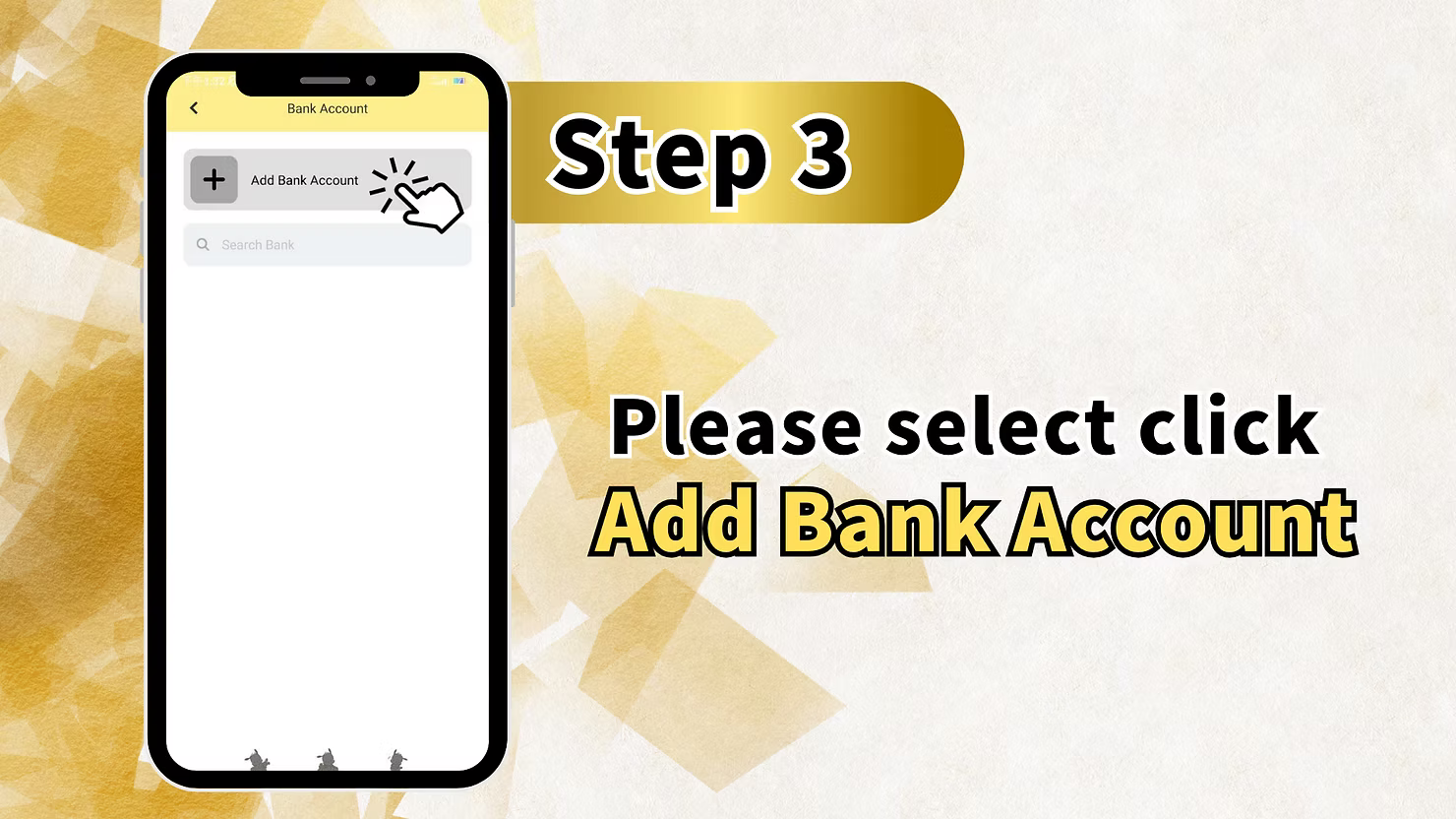
Can I Exchange Currency Without Adding a Bank Account?
Yes. Currency exchange on LUCKYTOWN is an internal wallet conversion between MYR and THB. You do not need to add a bank account for this feature because a bank account is only needed when withdrawing to an external bank.
What Happens After I Exchange Currency on LUCKYTOWN?
Your balance is updated instantly in the new currency. After that, you can click to change country and play the game, which switches your gaming region so you can access the games and promotions for that country.
Why Do I Need to Use Different App Versions for Different Conversions?
LUCKYTOWN links the conversion direction to the app version to avoid mistakes. MYR to THB exchanges are done in the Malaysia version, while THB to MYR exchanges are done in the Thai version, keeping the conversion direction and rate handling clear.
Ready to Exchange Currency on LUCKYTOWN? Convert MYR to THB Now
Follow the 5-step guide above to exchange between Malaysian Ringgit and Thai Baht instantly. Open the feature from the ME menu to review the exchange rate and complete your conversion. New to LUCKYTOWN? Register first. Existing members can log in and exchange currency for cross-border play today.
Start LUCKYTOWN Currency Exchange