
Withdrawal at LUCKYTOWN PLUS – Complete Guide
Why Withdraw at LUCKYTOWN PLUS Is Secure
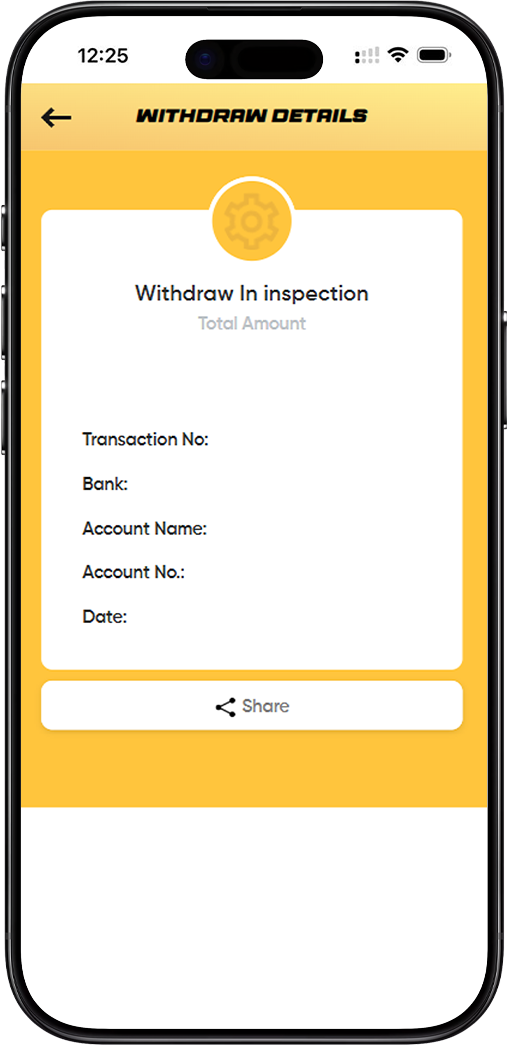
LUCKYTOWN offers two primary withdrawal methods to suit your needs: bank withdrawals for direct transfers to your Malaysian bank account, and USDT (TRC20) withdrawals for cryptocurrency users. LUCKYTOWN ensures all withdrawals are processed securely with manual reviews for added protection. Follow the guides below for step-by-step instructions.
Section 1: Bank Withdrawal Guide
How to Withdraw Funds to Your Bank Account
Bank withdrawals transfer your LUCKYTOWN balance directly to your registered Malaysian bank account. Follow these steps:
Step 1: Access the Withdrawal Page
Log in to your LUCKYTOWN account. Navigate to the **"TOP UP WITHDRAWAL"** section and select the "Withdrawal" tab.
Step 2: Select Bank Account
Under the "Bank Account" section, you will see your registered bank account details. If you haven't added a bank account yet, you'll need to do that first (see Add Bank Account guide).
Step 3: Enter Withdrawal Amount
In the "Withdraw (MYR)" field, enter the amount you wish to withdraw. Note the limits displayed:
Bank Withdrawal Limits
- Minimum: MYR 50.00
- Maximum: MYR 20,000.00 per transaction
- Free times: 2 (number of free withdrawals allowed, if applicable)
- Current balance: Shows your available balance (example shows MYR 0.80)
Step 4: Review Important Notice
Carefully read the fraud prevention notice displayed on screen:
"Dear customers, in order to prevent fraud, customers must ensure that your bank holder name is same as that of your deposit account when making withdrawals. This policy is also to protect the security of the customer's funds. Sorry for any inconvenience, Thank you."
Step 5: Agree to Terms
Check the box "I have read and agree" to confirm that you understand and accept the terms.
Step 6: Submit Withdrawal Request
After entering your amount and agreeing to the terms, click the appropriate button (such as "Next") to submit your withdrawal request. The request will be processed according to standard timelines.
Section 2: USDT (TRC20) Withdrawal Guide
How to Withdraw Funds in USDT Cryptocurrency
USDT withdrawals allow you to receive your funds as cryptocurrency via the TRC20 network. Follow these steps:
Step 1: Access Withdrawal Page and Select USDT
Navigate to the **"TOP UP WITHDRAWAL"** section. Under the "Deposit" tab (or withdrawal options), you may see "Manual Transfer" and "USDT (TRC 20)" . Select "USDT (TRC 20)" for cryptocurrency withdrawals.
Step 2: Understand the Display
The USDT withdrawal screen shows:
Tokens and Network
- Tokens: USDT (the cryptocurrency being withdrawn)
- Withdraw Network: TRC20 (the only supported network – do not use other networks)
Withdraw Address Field
"Withdraw Address: Enter/paste address or ENS name" – This is where you will enter your personal USDT wallet address that supports TRC20.
Withdraw Currency and Available Balance
- Withdraw Currency: USDT 1.00 (example amount)
- Available USDT: Shows your current USDT balance (example shows 0.19 USDT)
- Fees: 2.00 USDT (this fee will be deducted from your withdrawal)
Step 3: Enter Your Withdrawal Address
In the "Withdraw Address" field, paste your personal USDT wallet address that supports the TRC20 network. Double-check this address carefully – errors cannot be reversed.
Step 4: Enter Withdrawal Amount
Enter the amount of USDT you wish to withdraw. Ensure you meet the minimum requirement:
USDT Withdrawal Minimum
"The minimum withdrawal amount is: 150 USDT (TRC20)." You cannot withdraw less than 150 USDT. If your available balance is below this, you will need to accumulate more funds first.
Step 5: Review Important Notices
Carefully read all warning notices:
Address Accuracy Warning
"If fill in the wrong withdrawal address, the company will not be responsible for it." – This is extremely important. Cryptocurrency transactions are irreversible. Verify your address multiple times.
Manual Review Notice
"To ensure the safety of your funds, we will manually review the withdrawals when your account is safe. Please wait patiently." – All withdrawals undergo manual review for security.
Security Reminder
"Please be sure to confirm the safety of your computer and browser to prevent information from being tampered with or leaked." – Always use a secure device and connection.
Processing Time
"The withdrawal will be completed within 24 hours, please wait patiently for completion." – USDT withdrawals are typically processed within 24 hours.
Step 6: Submit Withdrawal Request
After entering your address and amount, and reviewing all notices, click "Next" (or similar) to submit your USDT withdrawal request. Your request will enter the manual review queue.
Important Notes for All Withdrawals
Name Matching Requirement
For bank withdrawals, the name on your LUCKYTOWN account must exactly match your bank account name. Any discrepancy will result in rejection. Complete Real Name Verification before requesting withdrawals.
Withdrawal Limits Summary
- Bank Withdrawal: Minimum RM50, Maximum RM20,000 per transaction
- USDT Withdrawal: Minimum 150 USDT (TRC20), Fees: 2.00 USDT
Processing Times
- Bank Withdrawals: Typically processed within standard banking hours
- USDT Withdrawals: Processed within 24 hours, including manual review time
Manual Review for Security
All withdrawals undergo manual review to ensure account security. This helps prevent unauthorized withdrawals and protects your funds.
Frequently Asked Questions About Withdrawals
What Is the Minimum Bank Withdrawal Amount?
The minimum bank withdrawal amount is RM50.00 per transaction.
What Is the Minimum USDT Withdrawal Amount?
The minimum USDT withdrawal amount is 150 USDT on the TRC20 network.
Are There Withdrawal Fees?
Bank withdrawals may have a limited number of free transactions (example shows 2 free times). USDT withdrawals have a fee of 2.00 USDT per transaction.
How Long Do Withdrawals Take?
Bank withdrawals follow standard processing times. USDT withdrawals are completed within 24 hours , including manual review.
What If I Enter the Wrong USDT Address?
If you enter an incorrect USDT address, the transaction cannot be reversed and your funds will be permanently lost. LUCKYTOWN is not responsible for losses due to incorrect addresses. Always verify carefully.
Why Is There a Manual Review?
Manual reviews add an extra layer of security to protect your account from unauthorized withdrawals. This helps ensure that only you can withdraw your funds.
Can I Cancel a Withdrawal After Submitting?
Once submitted and confirmed, withdrawals cannot be canceled. If you notice an error immediately, contact customer service urgently, but there is no guarantee the request can be stopped.
Why Choose LUCKYTOWN for Withdrawals?
LUCKYTOWN offers Malaysian players secure and transparent withdrawal options. Whether you prefer traditional bank transfers or modern cryptocurrency withdrawals, our clear limits, fee structures, and security measures ensure your funds are protected. Manual reviews add an extra layer of safety, while detailed notices help you avoid costly mistakes. LUCKYTOWN is committed to providing a trustworthy platform where you can deposit and withdraw with confidence.
Withdraw Your Funds from LUCKYTOWN Today
Ready to cash out? Choose your preferred withdrawal method – bank transfer or USDT (TRC20). Follow our step-by-step guides, review all important notices, and submit your request. Log in now to start your withdrawal – or sign up in minutes using your Malaysia phone number if you're not yet a member.
Start Your Withdrawal Now