
Recommend Friends at LUCKYTOWN PLUS - Complete Guide

How to Recommend Friends on LUCKYTOWN - 2 Simple Steps

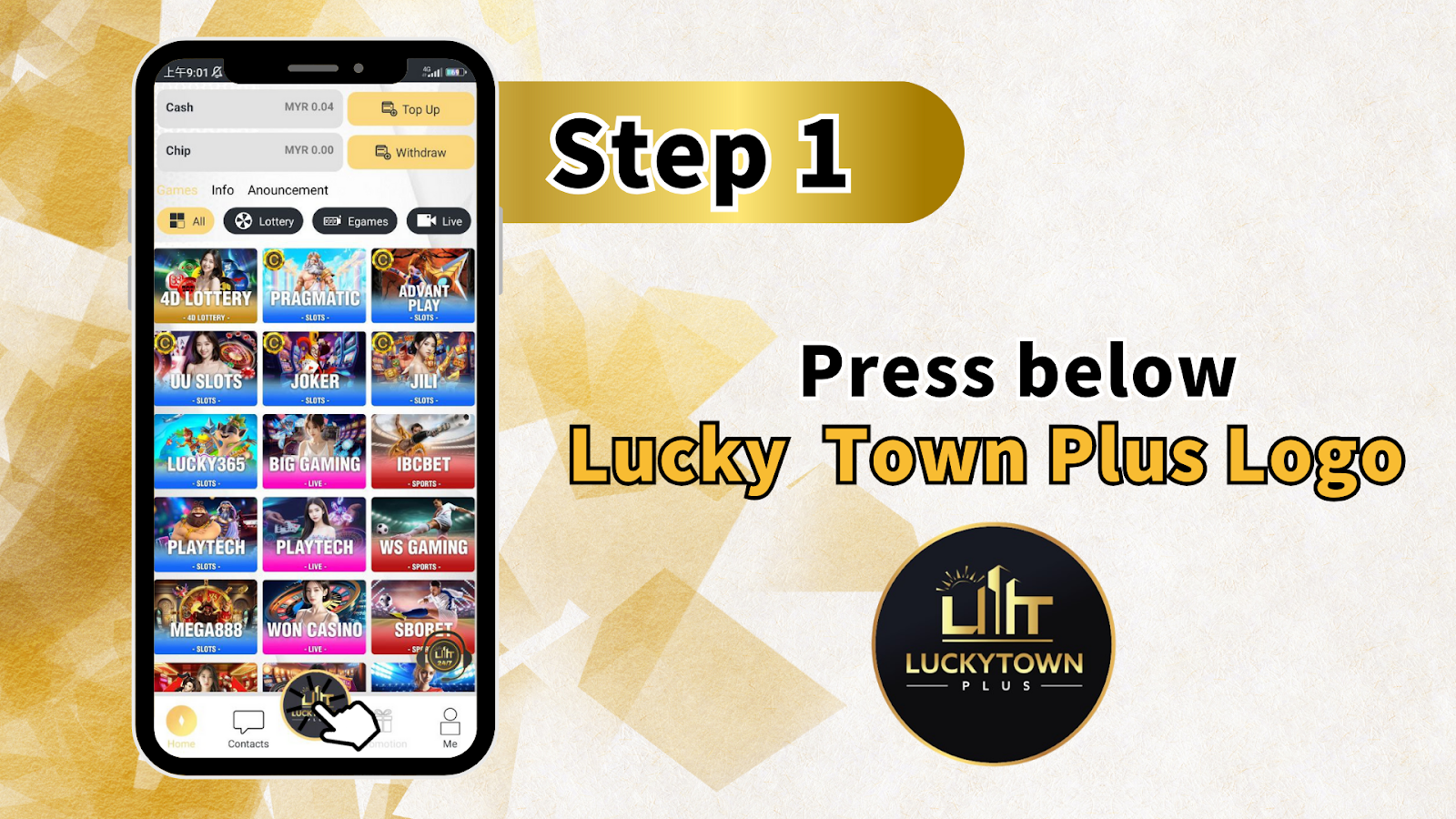
Step 1 - Press the LUCKYTOWN Plus Logo
To start recommending friends on LUCKYTOWN, first locate the LUCKYTOWN Plus logo, also shown as the Lil T or LUCKYTOWN PLUS icon, on your screen. Press or tap the logo. This opens the referral options menu where you can access your unique QR code and shareable link. The logo is usually found on the main dashboard or in the sidebar of your LUCKYTOWN account.
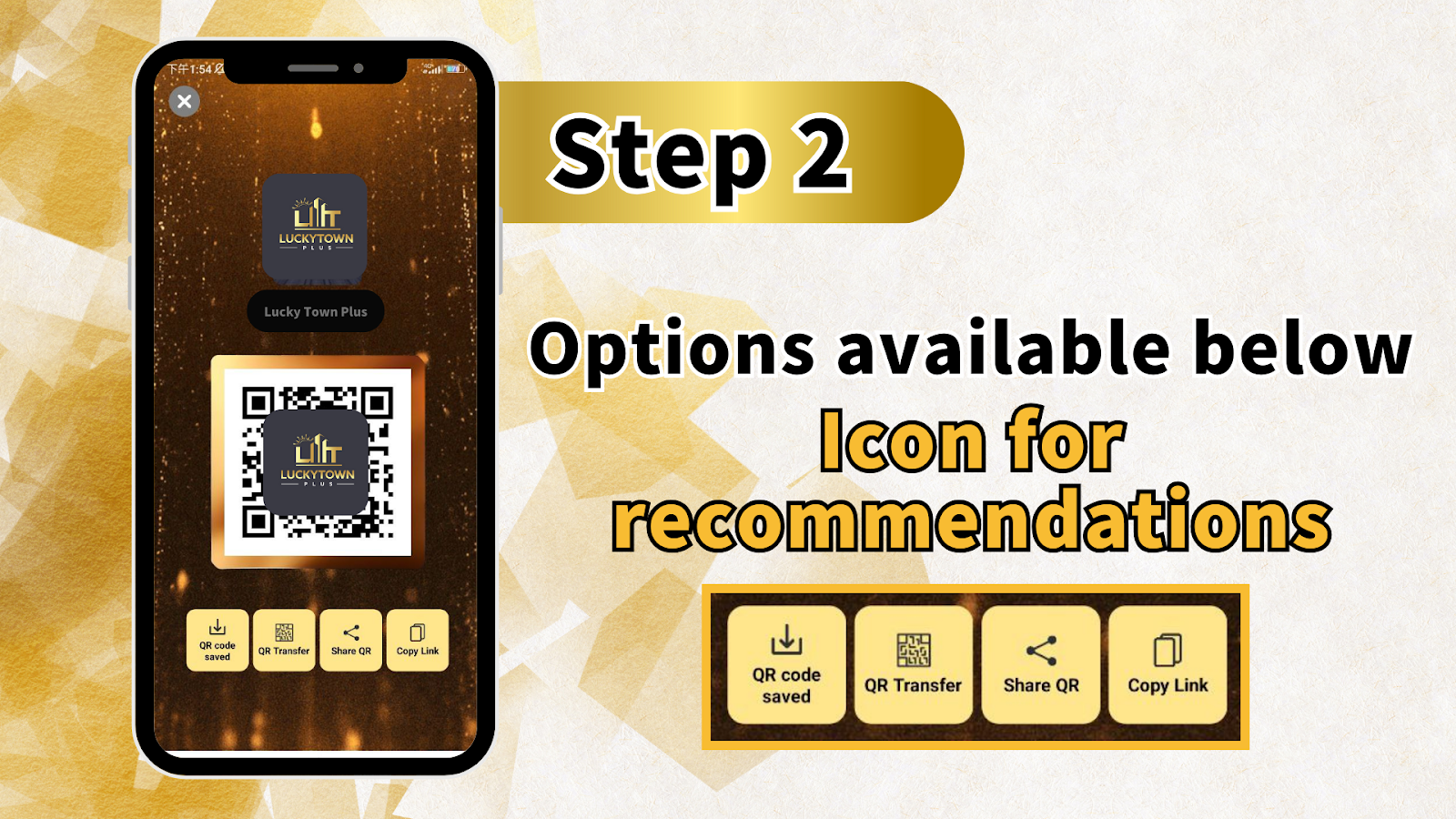
Step 2 - Select Your Preferred Referral Method
After pressing the LUCKYTOWN Plus logo, you will see several recommendation options below the icon. Choose one of these four methods to invite friends: Save QR Code, Transfer QR, Share QR Code, or Copy Link. Each method is explained in detail below.
LUCKYTOWN Referral Options - 4 Ways to Invite Friends
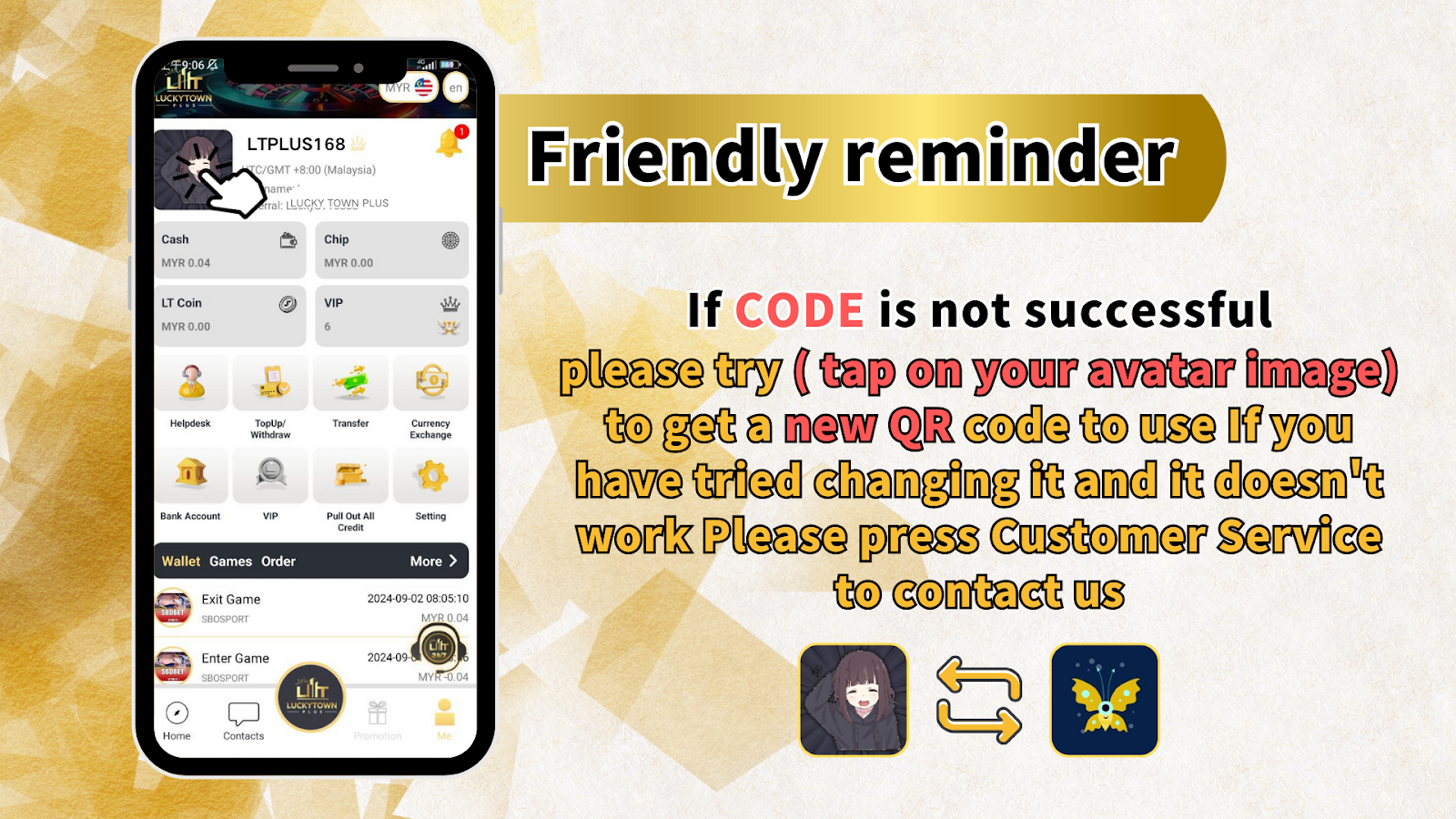
Option 1 - Save QR Code (QR can be saved for promotion)
This LUCKYTOWN referral option lets you save your unique QR code as an image on your device. Once saved, you can print it, post it on social media, or send it directly to friends through messaging apps. Your friends only need to scan the QR code with their LUCKYTOWN app or phone camera to register under your referral.
Option 2 - Transfer QR (Scan the code to transfer money to another player's account)
The Transfer QR feature on LUCKYTOWN serves a dual purpose. Although it is mainly used for scanning the code to transfer money to another player's account, you can also use this QR code to recommend friends. When a new user scans your Transfer QR, they can both register and experience a smooth credit transfer flow.
Option 3 - Share QR Code (Can be shared to other apps for promotion)
LUCKYTOWN makes it easy to share your referral QR code directly to other applications. Tap the Share QR Code option, then choose your preferred app, such as WhatsApp, Telegram, Facebook, Messenger, SMS, email, or any other installed app. This is the fastest way to personally invite friends to join LUCKYTOWN.
Option 4 - Copy Link (Click the link to register)
The Copy Link option copies your unique LUCKYTOWN referral URL to your device clipboard. You can then paste the link into any chat, email, social media post, or website. When your friend clicks the link, they will be directed to the LUCKYTOWN registration page with your referral code already applied.
LUCKYTOWN Referral Troubleshooting - What If Your Code Doesn't Work?
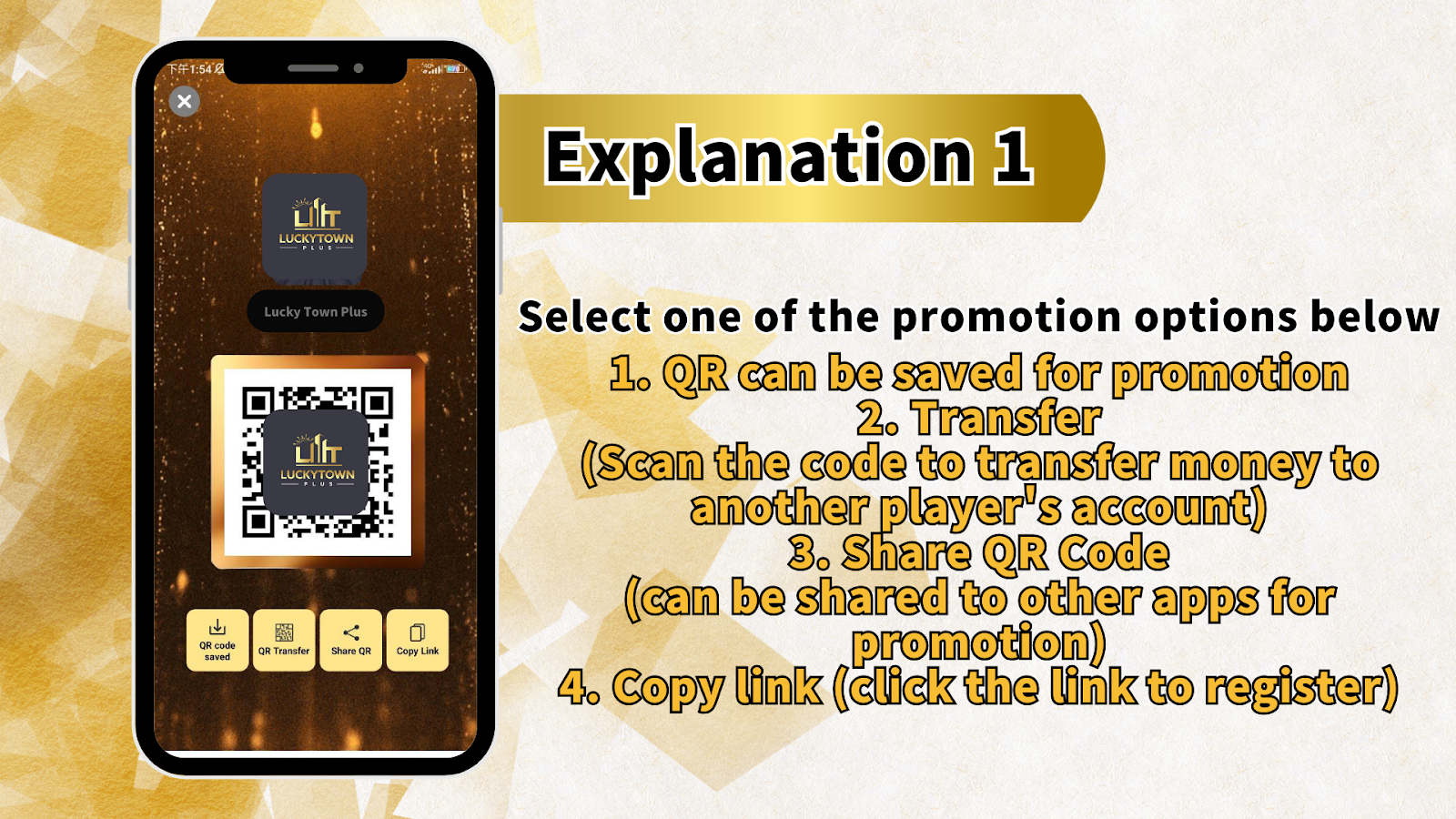
Friendly Reminder: If QR Code Is Not Successful
LUCKYTOWN offers a simple solution if your referral QR code or link is not working. First, try tapping your avatar image or profile picture in the LUCKYTOWN app or website. This often generates a new QR code for you to use. If you have already changed your QR code and it still does not work, press Customer Service to contact the LUCKYTOWN support team for immediate assistance.
Why Recommend Friends on LUCKYTOWN?
Earn Referral Rewards
When you recommend friends to LUCKYTOWN using your unique QR code or referral link, you may qualify for referral bonuses, commission rebates, or other rewards. Check the LUCKYTOWN promotions page for the current referral program offers.
Easy to Use - No Technical Skills Required
The LUCKYTOWN recommend-friends system is designed for all users. With only two steps, pressing the logo and choosing an option, you can generate shareable QR codes and links. No special applications or technical knowledge is needed.
Multiple Sharing Methods
LUCKYTOWN gives you four different ways to invite friends: save QR code, transfer QR, share QR, and copy link. Choose the method that fits your situation best. You can share on social media, through messaging apps, or even in person by showing the QR code on your phone.
How Do I Find My LUCKYTOWN Referral QR Code?
Press the LUCKYTOWN Plus logo, also shown as the Lil T or LUCKYTOWN PLUS icon, on your account dashboard. The referral options menu will appear immediately. From there, you can save, share, or copy your unique QR code and referral link.
Can I Recommend Friends Using Both QR Code and Link?
Yes. LUCKYTOWN allows you to use any of the four methods: Save QR Code, Transfer QR, Share QR Code, or Copy Link. You can use different methods for different friends. All methods connect to the same LUCKYTOWN referral account.
What Should I Do If My LUCKYTOWN Referral QR Code Isn't Working?
First, try tapping on your avatar image to generate a new QR code. If the new code still does not work, contact LUCKYTOWN Customer Service through live chat or support email. The support team can resolve technical problems with your referral code.
Do I Earn Bonuses for Recommending Friends on LUCKYTOWN?
LUCKYTOWN frequently runs referral promotions. Your friends must register using your QR code or link and fulfill any promotion requirements, such as first deposit or minimum betting conditions. Check the promotions page or contact customer service for the latest referral bonus details.
Can I Use the Transfer QR Code to Send Money to a Friend?
Yes. The Transfer QR option on LUCKYTOWN is specifically meant for scanning a code to transfer money to another player's account. This is useful when sending credits to friends who have already registered. New users can also register through the same QR code.
Start Recommending Friends on LUCKYTOWN Today
Share your unique LUCKYTOWN QR code or referral link with friends and family. Follow the simple two-step guide above to start inviting people right away. New to LUCKYTOWN? Register now to get your own referral code and begin recommending friends immediately.
Get Your LUCKYTOWN Referral Code