
Lottery Betting Instructions at LUCKYTOWN PLUS - Complete 4D Guide
Why Bet on 4D Lottery at LUCKYTOWN PLUS?
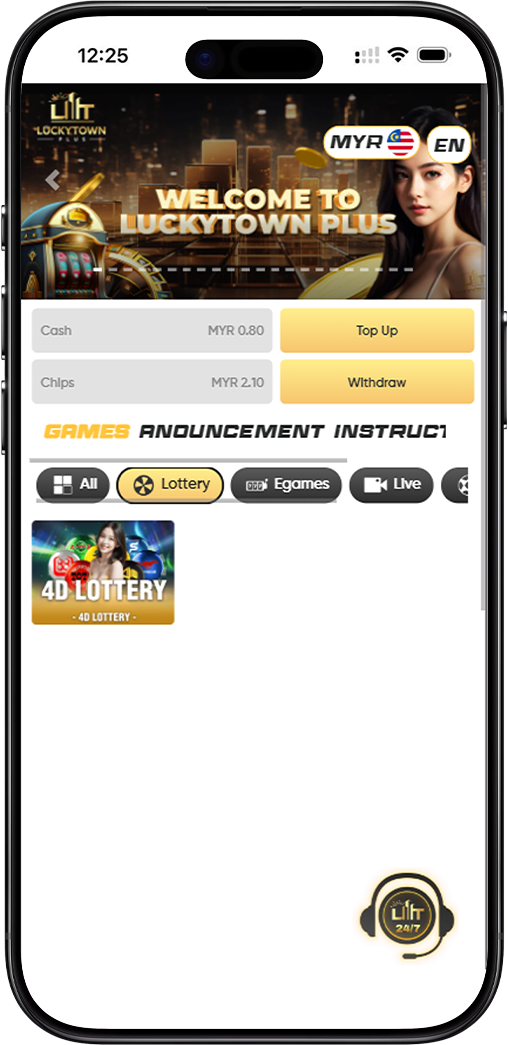
Introduction to LUCKYTOWN Lottery Betting
The LUCKYTOWN lottery betting instructions guide gives members a full step-by-step path for placing 4D lottery bets. From logging in and entering the 4D section to choosing platform codes, purchase forms, betting types, and cancellation steps, this guide covers the complete workflow. It also explains how to read MPTSBKWHE platform codes and manage successful bet receipts through the Bet List menu.
Step-by-Step LUCKYTOWN Lottery Betting Instructions
Step 1: Access the 4D Lottery Section
Log in to your LUCKYTOWN account, review the lottery odds shown on the page, and select Enter to open the betting interface.
Step 2: Select 4D from the Lottery Catalog
Choose the 4D item from the available lottery catalog. The interface may also show other options such as 2D, 3D, and special draws, but this flow is focused on 4D betting.
Step 3: Choose Your Betting Date or Dates
Select the draw date you want to bet on. The system also allows multiple dates to be selected in advance so you can place several upcoming bets in one session.
Step 4: Select Your Betting Platform
Choose your preferred lottery platform according to the operator code displayed on the interface.
LUCKYTOWN Lottery Platform Codes
M means Magnum, P means Da Ma Tai or Damacai, T means Toto, S means Singapore Pools, B means Sabah 88, K means Sandakan STC, W means Sarawak Da Wan, H means Grand Dragon, and E means 9Lotto.
Step 5: Enter Your Desired Number or Numbers
Enter the lottery number you want to play in the provided field. You can also add multiple numbers during the same transaction for more efficient wagering.
Step 6: Specify Your Betting Amount
Enter the amount you want to wager on the selected number set. The total bet value updates based on your inputs and the purchase form selected.
Step 7: Select Your Purchase Form
Choose the purchase form that matches how you want the system to process the number combinations.
Available Purchase Forms
Single is a straight bet, Return covers multiple combinations, Box covers permutations, i-Box mixes straight and box behavior, and PH is a special purchase form with its own payout handling.
Step 8: Choose Your 4D Betting Type
Select the standard 4D betting type that matches your preferred prize coverage.
4D Betting Types Explained
B or Big covers First, Second, Third, Special, and Consolation prizes. S or Small covers the top three prizes only. 4A covers only the First Prize category.
Step 9: Use 4D SPECIAL for Targeted Prize Betting
If you want to target specific prize groups, choose 4D SPECIAL instead of a normal 4D type.
4D Special Betting Types Explained
4A targets First Prize only, 4B Second Prize only, 4C Third Prize only, 4D Special Prize only, 4E Consolation Prize only, and 4F combines First, Second, and Third Prize coverage.
Step 10: Place Your Bet
After confirming platform, date, number, amount, purchase form, and betting type, click Bet. The system will confirm that the bet was placed successfully and your receipt becomes available for review.
How to Cancel Your LUCKYTOWN Lottery Bet
Step 1: Open the Menu
Click the three-line menu icon in the upper-left corner of the lottery betting interface to open the navigation drawer.
Step 2: Access Your Bet List
Select Bet List from the menu to review active and historical lottery betting records.
Step 3: Select the Draw Date
Choose the date of the bet you want to cancel. The system will show the successful bet receipt for that draw date.
Step 4: View Your Successful Bet Receipt
Review the receipt details carefully to make sure it is the exact bet you want to void.
Step 5: Initiate Cancellation
Click the receipt action, then choose void. If the request is accepted before the cutoff, the system will confirm that the selected lottery bet was cancelled successfully.
LUCKYTOWN Lottery Betting Important Guidelines
Understanding Platform Codes
The MPTSBKWHE code system identifies each lottery operator. Keep the mapping nearby when betting so you can quickly choose the correct platform every time.
Purchase Form Selection Impact
Single, Return, Box, i-Box, and PH affect how your selected digits are played and how prize outcomes are calculated. Pick the form that fits your own risk preference and betting strategy.
Betting Type Prize Coverage
Standard 4D types and 4D Special types do not cover the same prize groups. Review the exact payout scope before submitting the bet so the selected type matches your target.
Bet Cancellation Window
Bets can only be voided before the draw cutoff. Once results are released, the system will no longer allow cancellation of the ticket.
Frequently Asked Questions About LUCKYTOWN Lottery Betting Instructions
How do I start betting on 4D lottery?
Log in, check the lottery odds, choose Enter, select 4D from the catalog, then follow the number, date, platform, amount, and bet-type flow until submission.
What do the platform codes MPTSBKWHE mean?
They are operator shortcuts: Magnum, Da Ma Tai, Toto, Singapore, Sabah 88, Sandakan STC, Sarawak Da Wan, Grand Dragon, and 9Lotto.
What is the difference between B, S, and 4A betting types?
B covers all five prize groups, S covers only the top three, and 4A focuses only on First Prize. Each one carries a different prize and risk profile.
What are 4D Special betting types?
4D Special lets you target specific prize categories such as First, Second, Third, Special, Consolation, or a combined top-three option through 4A to 4F.
Can I bet on multiple numbers or multiple dates at once?
Yes. The system supports adding more than one number and also supports selecting multiple draw dates within the same session.
How do I cancel a bet after placing it?
Open the three-line menu, enter Bet List, choose the draw date, open the receipt, then use the void action before the cutoff time.
Why Follow LUCKYTOWN Lottery Betting Instructions
Complete Step Coverage
The guide covers the full flow from entering the lottery area to receiving a successful bet confirmation, so important setup choices are less likely to be missed.
Clear Platform Code Explanations
The operator-code mapping removes guesswork when choosing between Magnum, Toto, Damacai, Singapore Pools, and the other listed platforms.
Bet Cancellation Guidance
The cancellation flow is documented clearly through the Bet List path, which gives members more control over submitted tickets before the draw closes.
All Bet Types Explained
The standard B, S, 4A, and 4D Special options are laid out in one place so members can compare them before committing stake amounts.
People-First Design
The instructions are structured to be usable by both new and experienced players, reducing confusion when moving through the 4D interface.
Start Your LUCKYTOWN Lottery Betting Today
Follow the full step-by-step guide to place 4D bets, choose the correct MPTSBKWHE platform, select the right purchase form, and understand B, S, 4A, and 4D Special coverage before submitting. LUCKYTOWN keeps lottery betting straightforward.
Start Lottery Betting Now