
Forgot Transfer Password at LUCKYTOWN PLUS - Complete Guide
Why Your Transfer Password Matters at LUCKYTOWN PLUS


Introduction to LUCKYTOWN Forgot Transfer Password
The LUCKYTOWN forgot transfer password guide helps members recover or change their 6-digit transaction PIN, also called a payment PIN or transfer password. This PIN is separate from your login password and is required for withdrawals and other financial transactions. Whether you still remember your current PIN and want to update it, or you have forgotten it and need recovery, LUCKYTOWN provides both methods with OTP protection through your registered mobile number.
Method 1: LUCKYTOWN Change Payment PIN When You Know the Current PIN
Step 1: Access Your Account Dashboard
Open the LUCKYTOWN app and tap the account icon at the bottom-right corner of the main screen. The ME area gives access to your balance, transaction history, and account management tools.
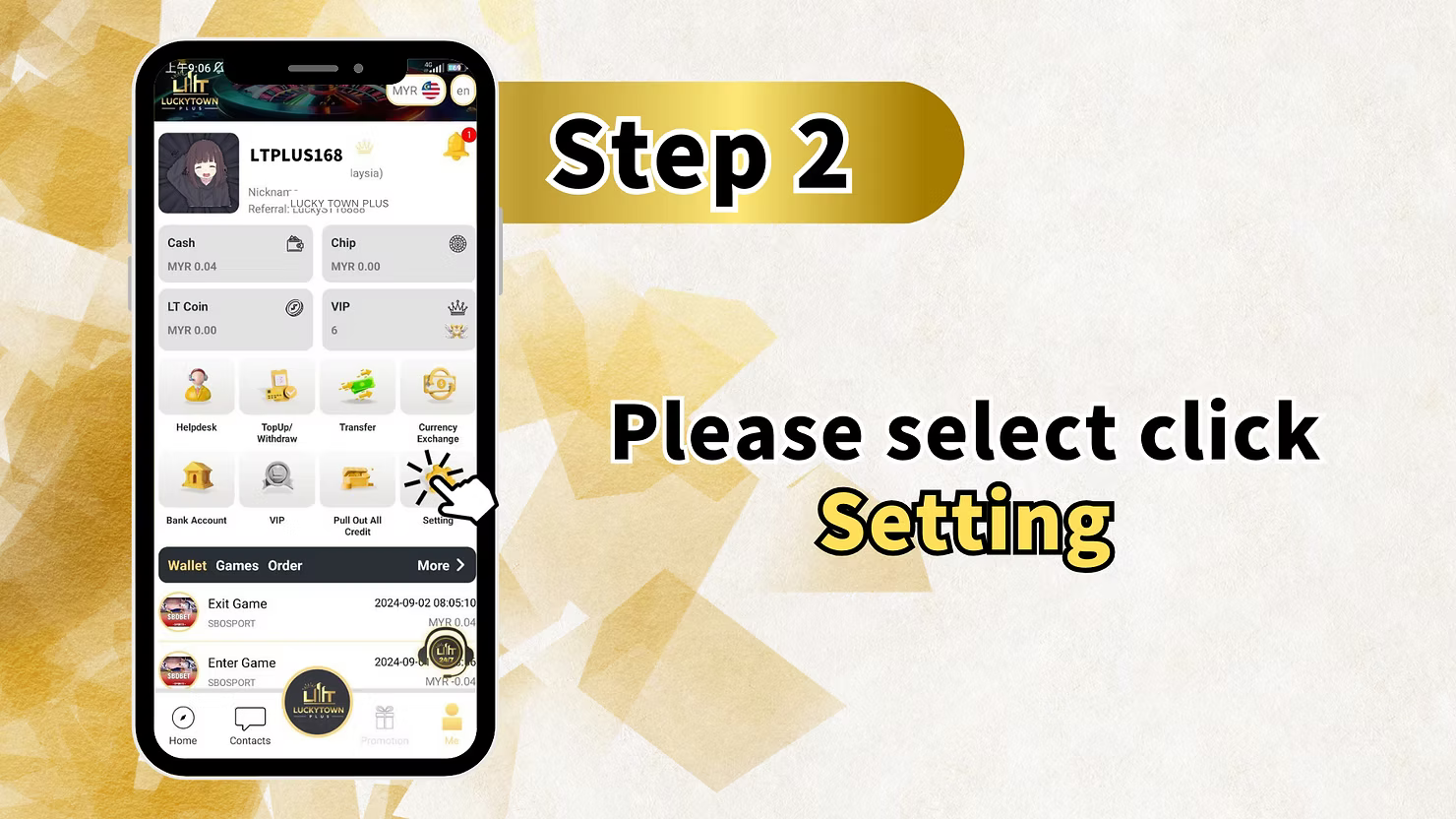
Step 2: Enter the Settings Menu
From your dashboard, tap Setting to open the full settings menu where login password, payment PIN, phone number, nickname, and security features can be managed.
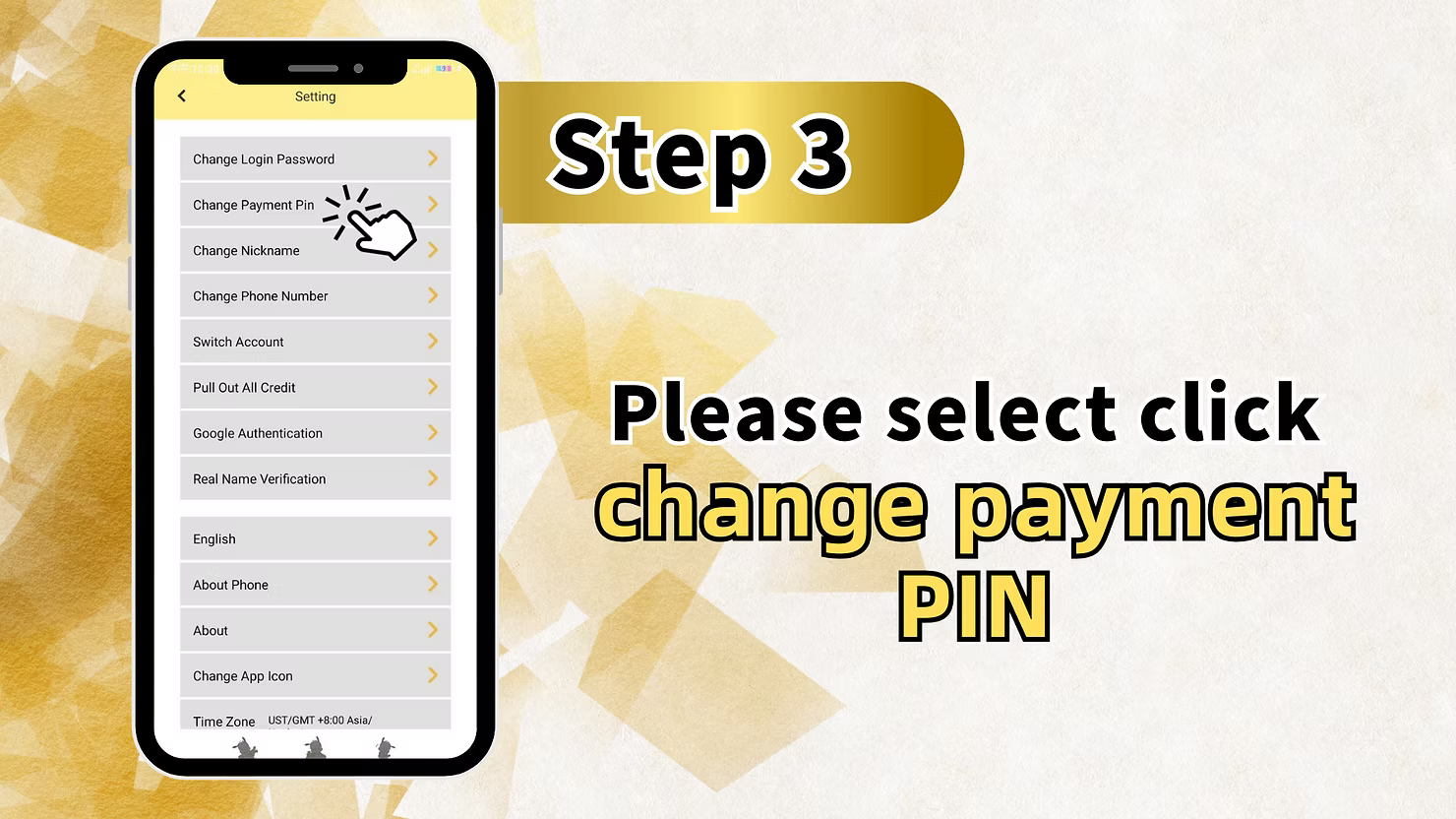
Step 3: Select Change Payment PIN
Inside the settings menu, find and tap Change Payment Pin. This option is specifically for updating your current transaction PIN.
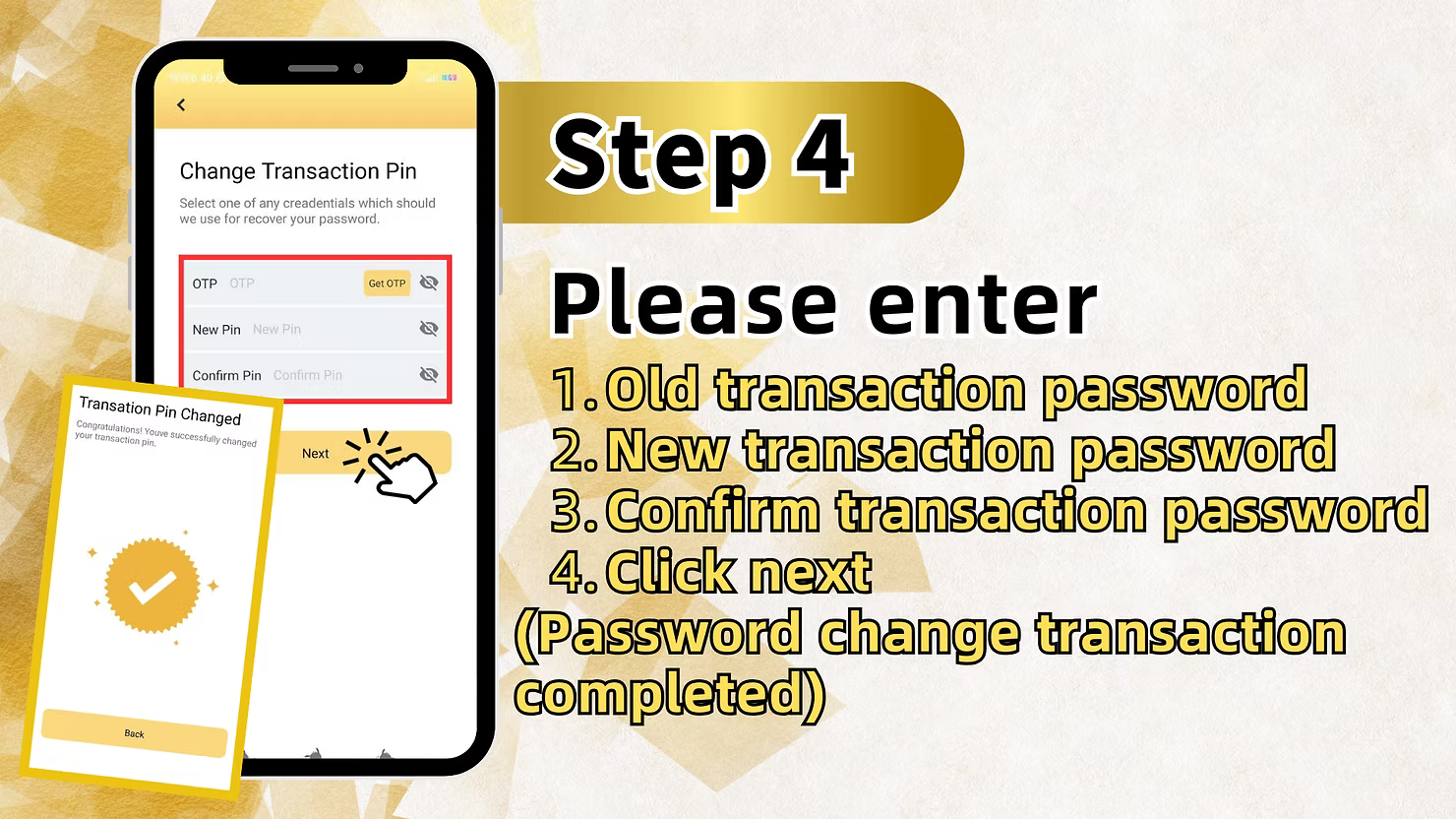
Step 4: Enter the Old and New Transaction PIN
On the Change Transaction Pin screen, enter your old transaction password first, then enter the new 6-digit PIN in both the new and confirm fields. Tap Next to complete the update and wait for the success confirmation.
Method 2: LUCKYTOWN Forgot Transfer Password Recovery via Withdrawal Page
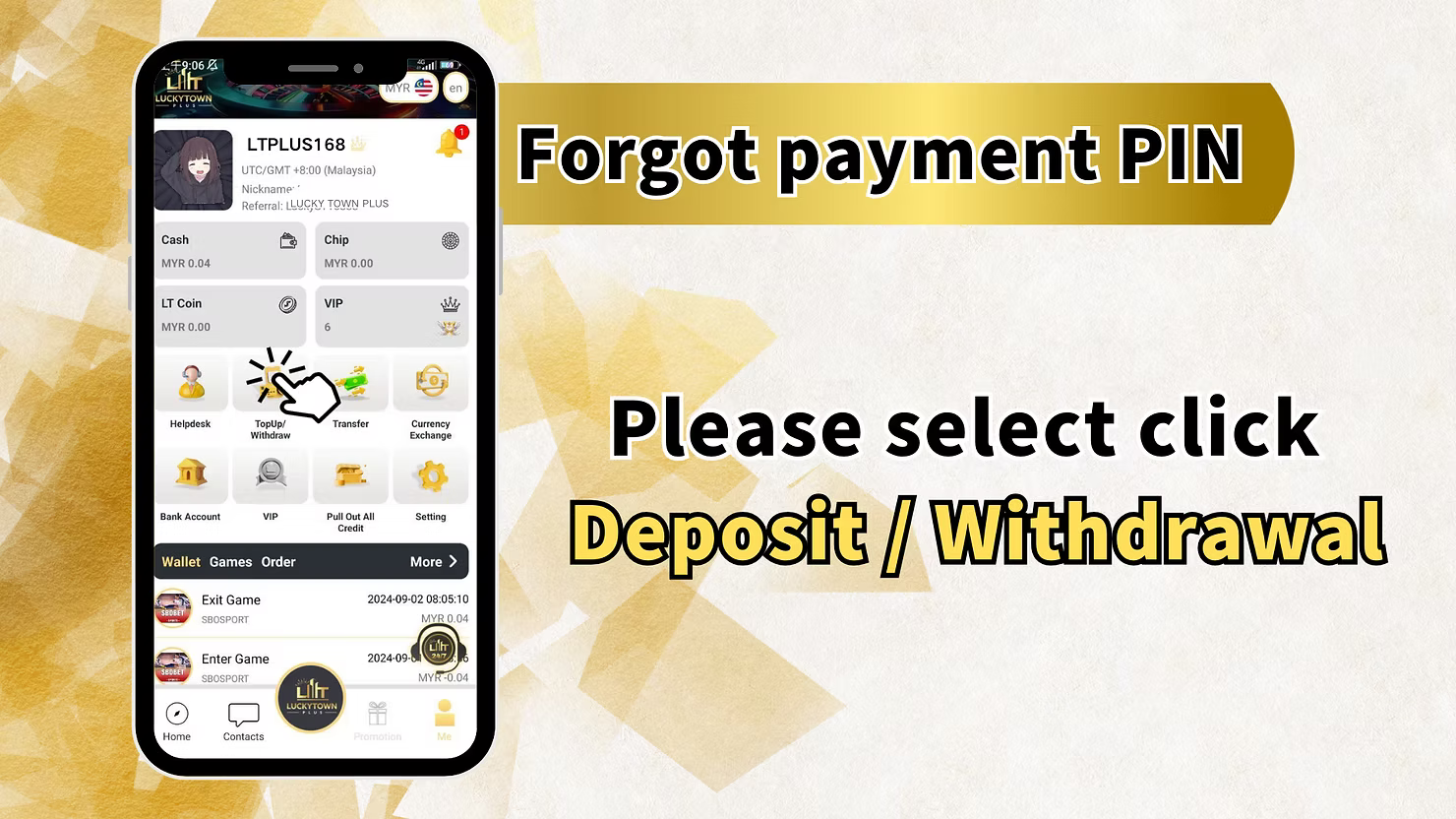
Step 1: Access the Financial Transaction Center
If you do not remember your current PIN, tap the account icon at the bottom-right of the main screen and open Deposit / Withdrawal to start recovery from the financial section.
Step 2: Select Withdrawal and Agree to Terms
Choose Withdraw on the transaction page, review the withdrawal notice and limits shown on screen, then check the agreement box to continue. This step unlocks the recovery route inside the withdrawal flow.
Step 3: Access the Forgot Payment PIN Option
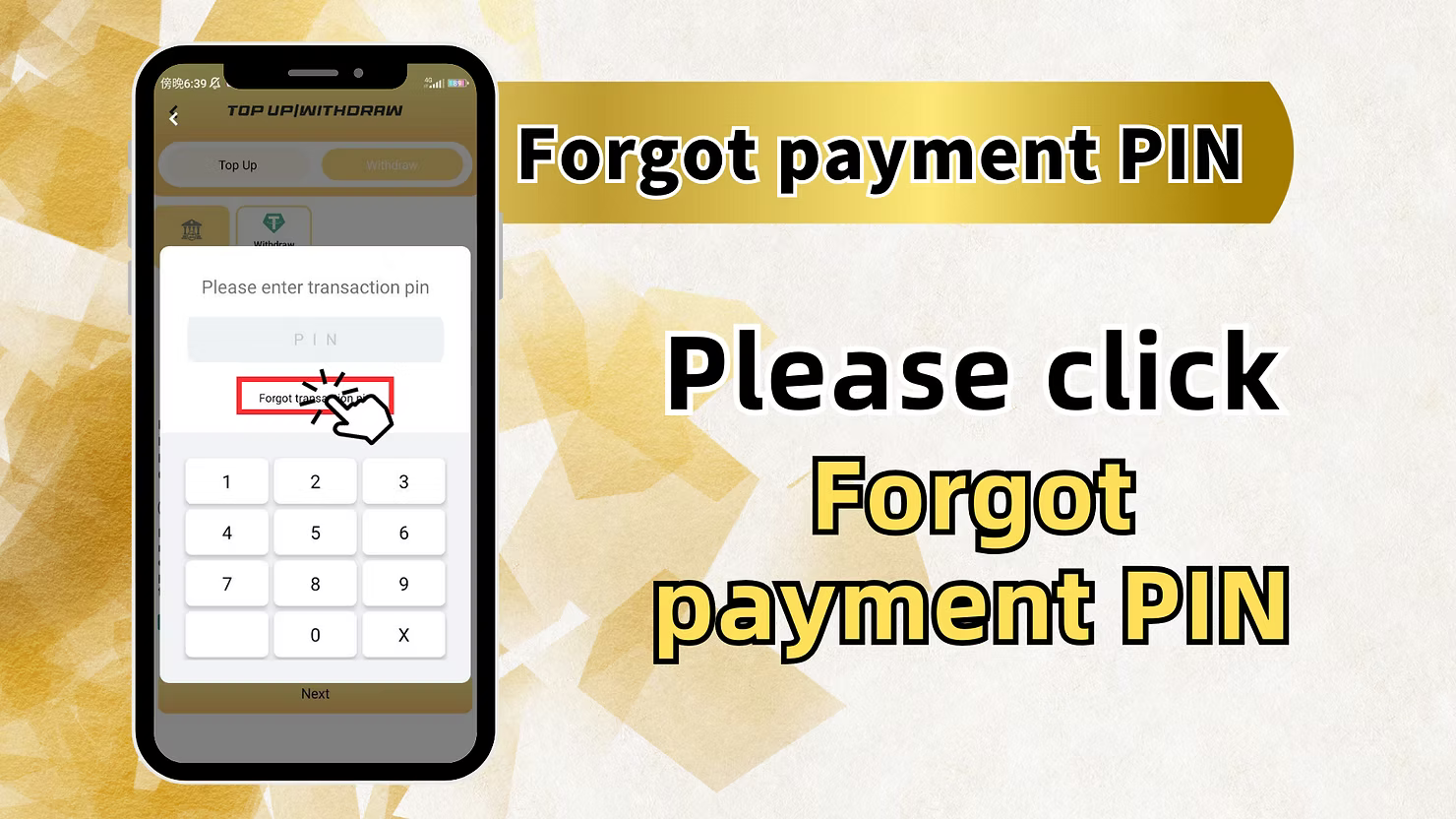
After agreeing to the terms, tap the forgot payment PIN option. This is placed within the withdrawal process because that is where members usually discover they cannot remember the transaction PIN.
Step 4: Enter the Registered Phone Number
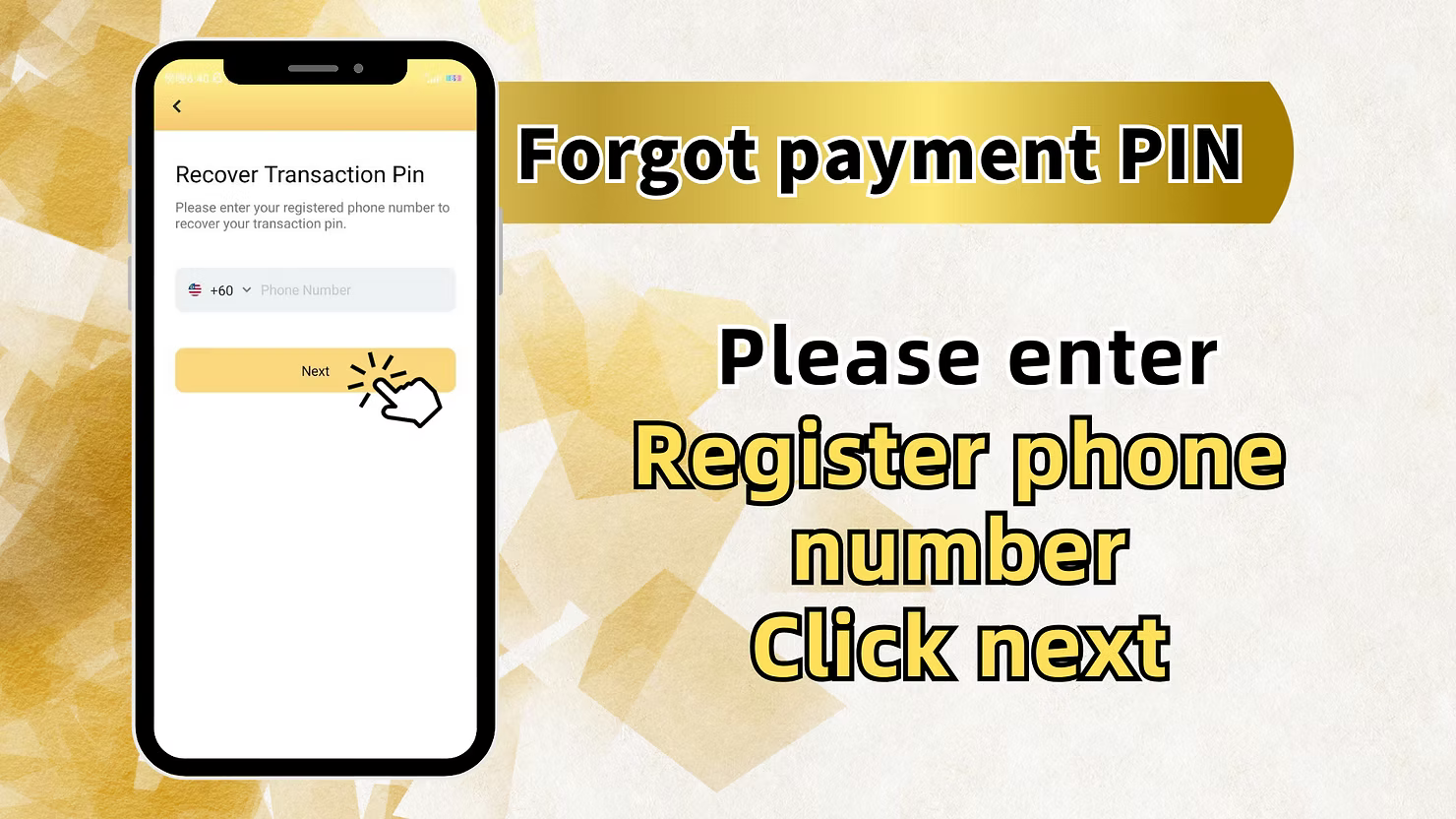
On the Recover Transaction Pin screen, enter the +60 mobile number registered to your LUCKYTOWN account and tap Next to move to identity verification.
Step 5: Get OTP and Enter a New Transaction PIN
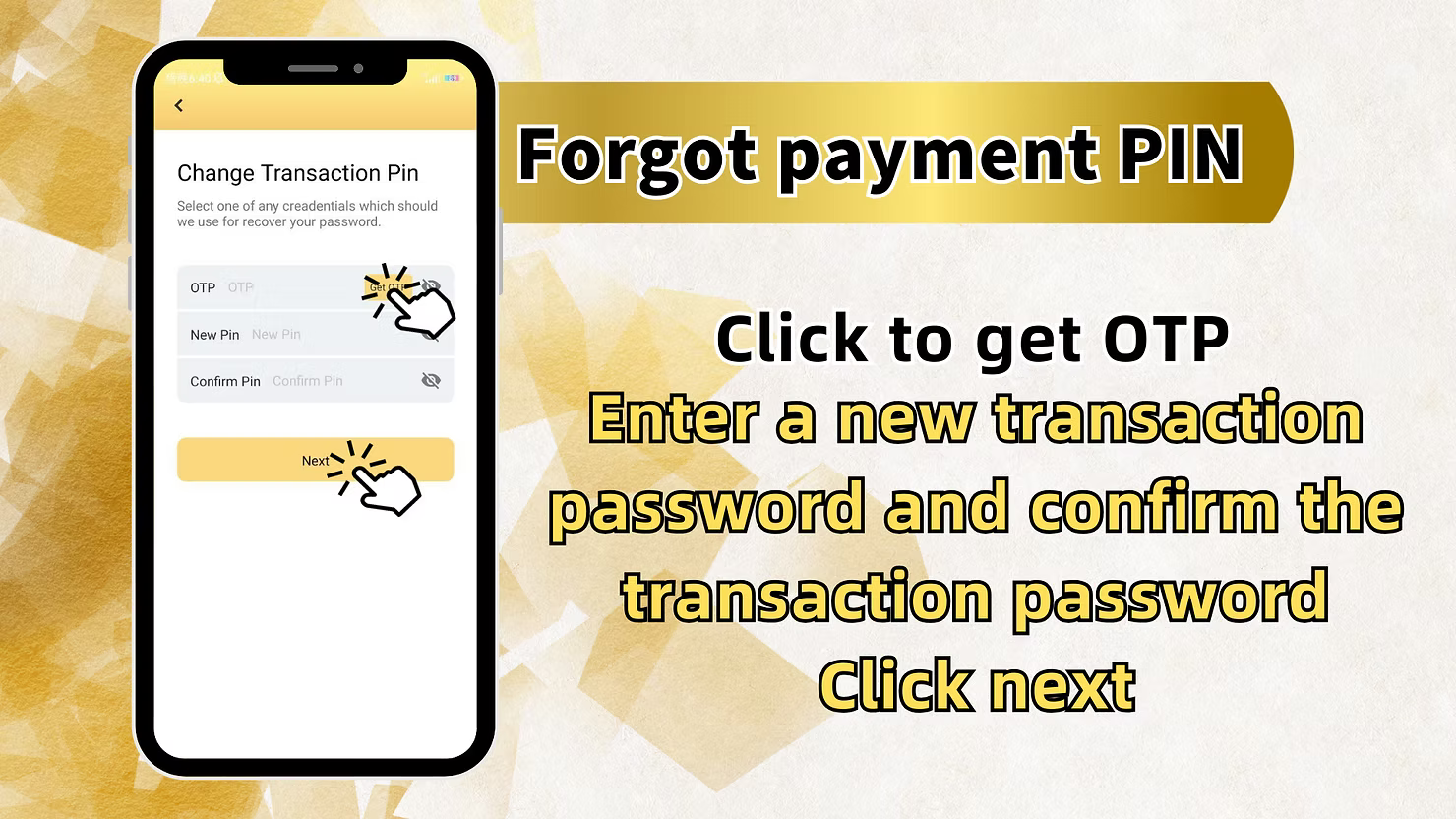
Request the OTP sent to your registered mobile number, enter the code in the OTP field, then create a new 6-digit transaction PIN and confirm it in the matching field.
Step 6: Complete the PIN Reset
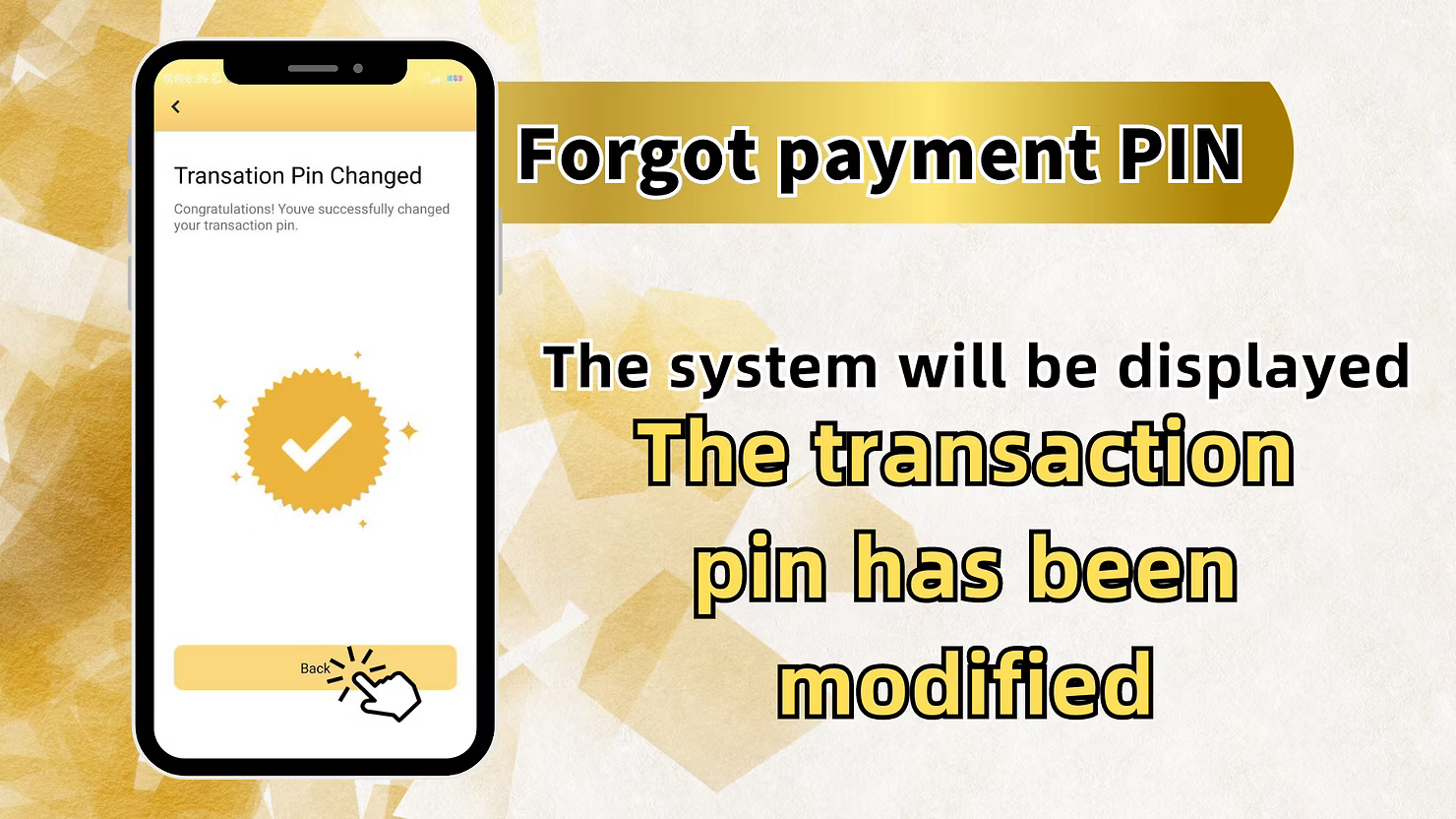
After OTP verification and PIN confirmation, tap Next. The system will show the Transaction Pin Changed confirmation and your new PIN will be active for withdrawals and other financial actions.
LUCKYTOWN Forgot Transfer Password Important Guidelines
Transaction PIN Purpose
Your transaction PIN is a separate 6-digit credential used only for withdrawals and financial operations. It adds a second protection layer beyond the normal login password.
Two Recovery Paths Available
LUCKYTOWN gives you two ways to manage the PIN: change it through Settings when you still know it, or recover it by OTP through the withdrawal page when you have forgotten it.
Phone Number Requirement for Recovery
Forgot-transfer-password recovery requires access to the +60 phone number registered to your account because the OTP verification code will be sent to that number.
OTP Verification Process
Recovery OTP codes expire after a short time for security. If the code expires before you use it, request another OTP and complete the process promptly.
PIN Security Best Practices
Choose a 6-digit code that is memorable for you but difficult for others to guess. Avoid obvious patterns, repeated digits, or personal dates, and never share the PIN with anyone.
Frequently Asked Questions About LUCKYTOWN Forgot Transfer Password
What is the difference between login password and transaction PIN?
Your login password is used to enter the account, while the transaction PIN authorizes withdrawals and financial transactions. They are separate credentials for added account security.
How do I change my transaction PIN if I still remember it?
Go to ME, open Setting, select Change Payment Pin, enter the old PIN, then enter the new PIN twice and submit it.
How do I recover my transaction PIN if I forgot it?
Go through ME, Deposit / Withdrawal, Withdraw, agree to the notice, open the forgot PIN option, enter your registered phone number, request OTP, and set a new PIN.
What phone number should I use for recovery?
Use the +60 number originally registered with your LUCKYTOWN account. If your number has changed, contact customer support for further help.
What if I do not have access to my registered phone number?
If you cannot receive the recovery OTP, contact in-app customer support and ask for alternative verification assistance.
Will I see confirmation after a successful PIN change?
Yes. The system will show a Transaction Pin Changed confirmation to indicate that your new PIN is active and ready for use.
Why Choose LUCKYTOWN Transaction PIN Recovery System
Dual Recovery Paths
Members can either update the PIN directly in Settings or recover it through OTP from the withdrawal page, depending on whether the current PIN is still known.
Secure OTP Verification
OTP verification ensures that only the verified account owner can reset the transaction PIN, helping to protect withdrawal access and other financial functions.
Clear Step-by-Step Instructions
The process is broken into straightforward steps so members can complete PIN management without confusion.
Integration with Withdrawal Flow
The forgot PIN recovery route is placed where members naturally need it most, inside the withdrawal path where missing PIN issues usually appear.
Immediate Confirmation
After recovery succeeds, the new transaction PIN becomes usable immediately, so there is no delay before returning to financial actions.
Secure Your LUCKYTOWN Transaction PIN Today
Use the correct path to change your payment PIN when you still know it or recover it safely by OTP when you have forgotten it. Follow the official LUCKYTOWN transaction PIN steps to restore secure access to withdrawals and other financial features.
Manage Transaction PIN